Feat 01
Kawaii Frets
A cozy guitar teacher in your pocket. Maestro Bun, a chubby bunny with mint headphones, helps you tune up, learn your first chords and strum along 54 songs, listening to your real guitar through the microphone or letting you play a touch fretboard. 61 lessons, a chord trainer that checks every string, scrolling tab and the Strum Quest arcade.
Kawaii Frets
Soon
Version 1.0.0
Portrait • Mobile first
Coming Soon to App Store & Google PlayThe iPhone and Android apps are on their way.
Mobile first
Built for iPhone and Android
Version 1.0.0
Free to play
No sign-up
About the game
What is Kawaii Frets?
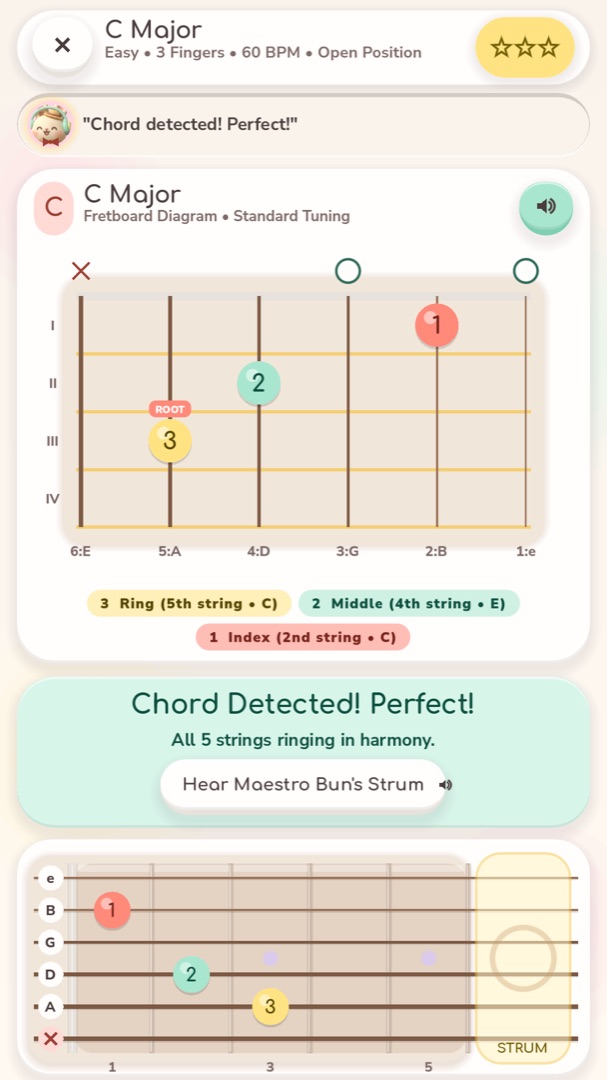
Kawaii Frets is a gentle, step-by-step guitar teacher for complete beginners. Your guide is Maestro Bun, a chubby cream bunny with mint headphones and a little straw hat, who shows you where every finger goes, cheers each clean chord and offers tips when a string doesn't ring. Everything is drawn in soft clay colours: chord boxes with a colour for each finger, a fretboard that glows where you should press, and tab that scrolls along with the music.
Bring your own guitar or play on the screen. With a steel-string, nylon or electric guitar, rest your phone nearby and the app listens through the microphone: it tunes your strings, names the notes you play and checks your chords string by string, so you know exactly which finger needs pressing harder. The sound is analysed on your device and never stored. No guitar at hand? The touch fretboard lets you hold frets and swipe a strum pad, and every lesson works on it.
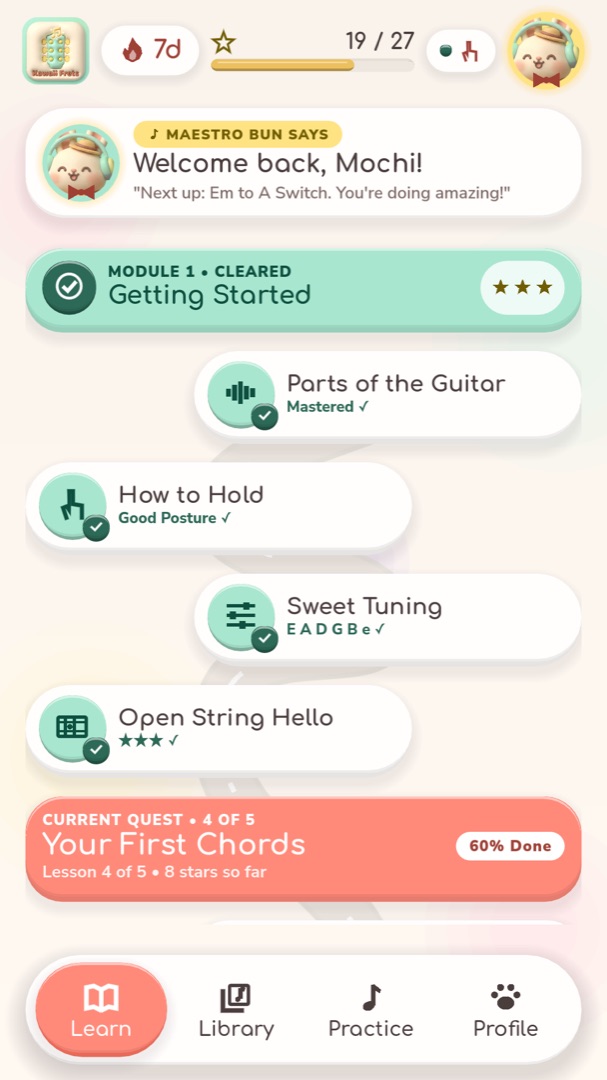
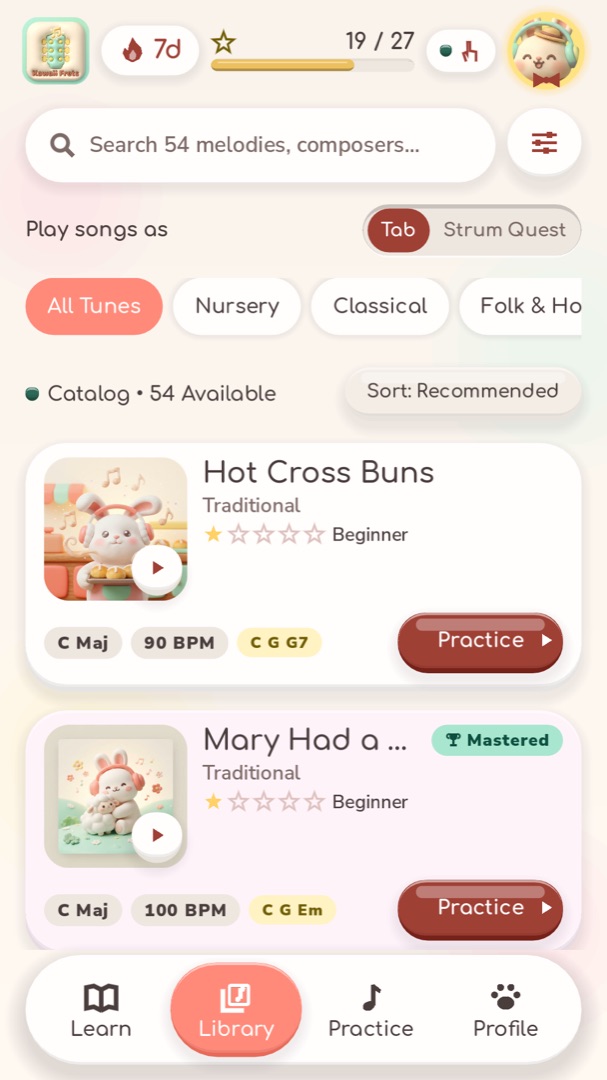
The journey has 61 lessons in six chapters: Strum Meadow, Melody Brook, Campfire Hills, Rhythm River, Bass Line Grove and Barre Mountain. It starts with the parts of the guitar, how to hold it and tuning, then your first chords (E minor and A), single notes on each string, the campfire chords G, C and D, strumming patterns, minor and seventh chords, bass lines, fingerstyle melody with bass, and finally the F barre. The song library has 54 songs, each playable as tab or as a strum-along: Für Elise, Canon in D, Greensleeves, Ode to Joy, Silent Night, Twinkle Twinkle and many more, plus cozy originals.
Kawaii Frets is an app for iPhone, iPad and Android. It works offline and needs no account, and your progress, streak and badges are saved on your device. The first chapter and three songs are free to try; Kawaii Frets Plus is an optional purchase that opens every song and chapter.
Guide
How to play
- 1
Choose your guitar
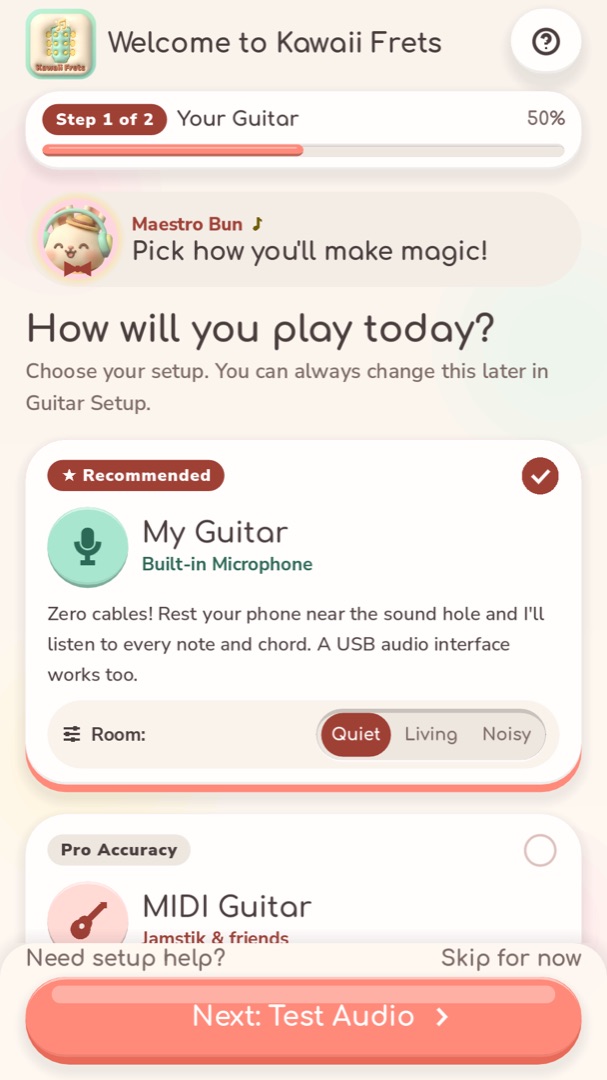
On first launch, pick My Guitar (the microphone listens), MIDI Guitar (desktop versions) or Touch Fretboard, and choose steel-string, nylon or electric. Then pluck the thick low E string three times to check the microphone hears you.
- 2
Tune up
Pluck a string and the tuner shows which one it is and how many cents it is off. Turn the peg until the bead slides to the middle and the card turns mint. The Reference Tone button plays the note you're aiming for.
- 3
Learn a chord
In a chord lesson, place your fingers on the coloured beads: 1 is your index, 2 your middle, 3 your ring and 4 your little finger. O means play the string open, X means skip it. Strum, and the app tells you which strings rang.
- 4
Play the tab
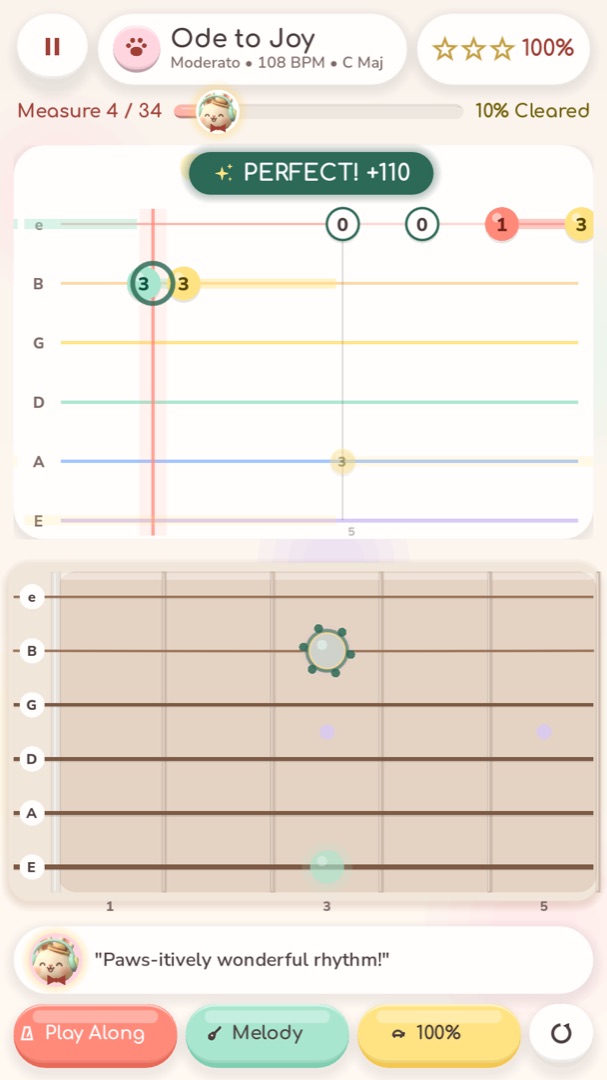
In a song lesson, numbers scroll towards the line on six strings, thin high e at the top. The number is the fret to press. In Wait mode the music waits for you; Play Along keeps the beat.
- 5
Earn stars and strum along
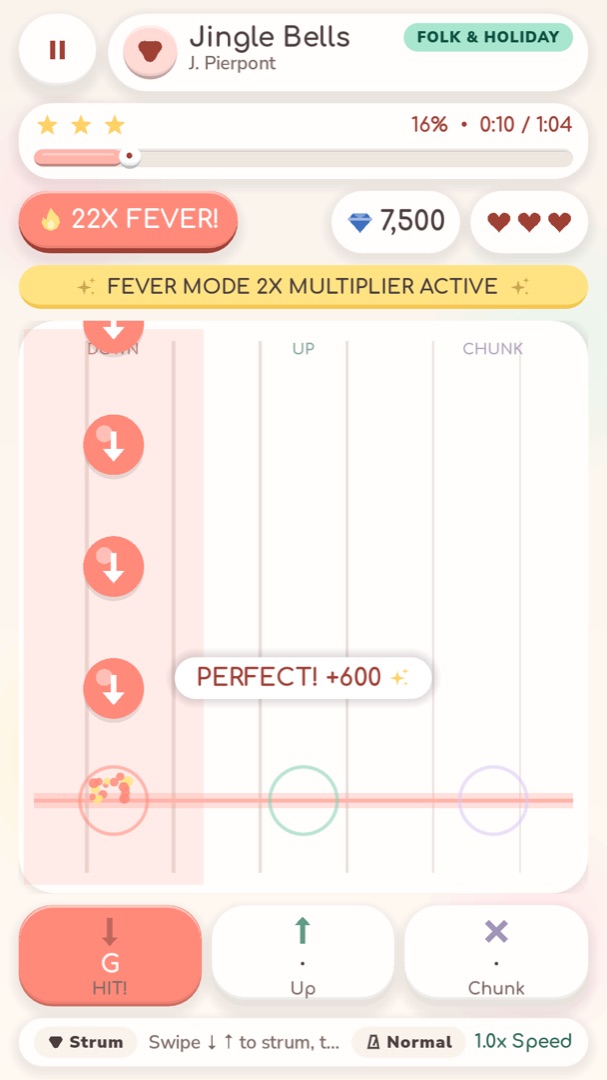
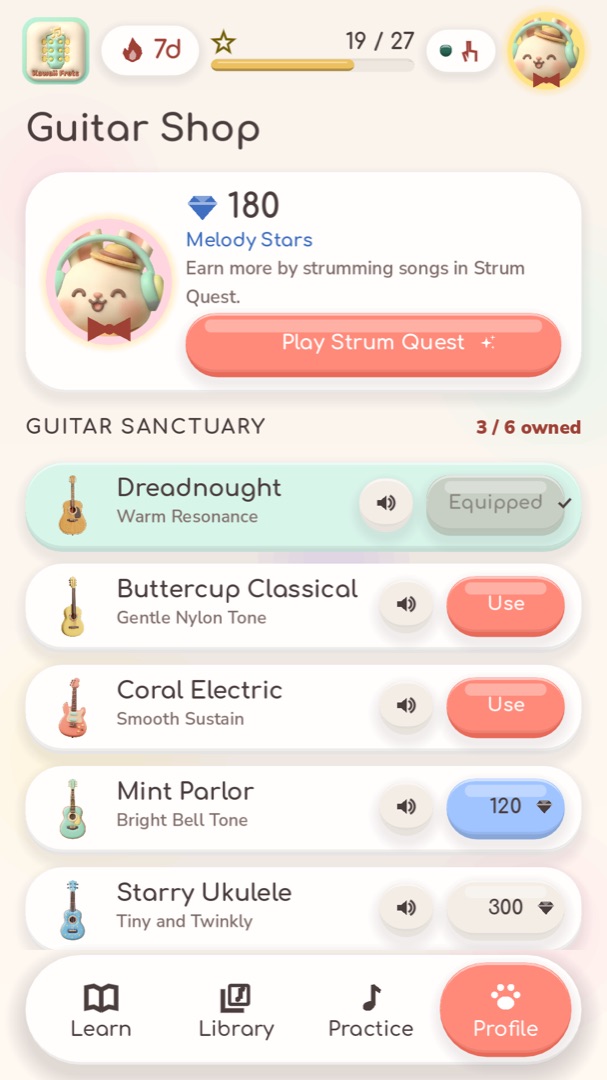
Every lesson ends with a scorecard and up to three stars, and a star opens the next lesson. Then try Strum Quest: strum down, up or chunk as the beads reach the line to earn Melody Stars for new guitars.
Controls
| Action | Touch, microphone & MIDI |
|---|---|
| Play a note | Pluck the string on your guitar (microphone or MIDI), or tap the fret on the touch fretboard |
| Play a chord | Strum your guitar, or hold the frets on screen and swipe across the STRUM pad |
| Strum in Strum Quest | Swipe down or up on the board, tap for a chunk, or strum your guitar |
| Change mode or speed | Tap the option chips at the bottom of the practice screen |
| See more frets | Turn the phone sideways, or use the arrows in Fret Runner |
| Pause | Pause button, top left |
Game manual
Cozy guitar lessons with Maestro Bun
Feat 02
Chord lessons that listen: every string checked through the microphone
Feat 03
A journey of 61 lessons in 6 chapters, from holding the guitar to the F barre
Feat 04
54 songs as scrolling tab and as strum-alongs
Feat 05
Strum Quest arcade, Fret Runner touch fretboard and six guitars to collect
Strategy
Tips for higher scores
Tune before every session: a guitar in tune makes every chord sound right, and the app hears it better.
Press just behind the fret wire, not on top of it. You need less pressure and the note rings cleaner.
Arch your fingers so their tips land on the strings and don't mute the open strings next to them.
Learn a chord change slowly in Wait mode, ten times in a row, before trying it in time.
Rest your phone close to the sound hole (or the amp) and pick Noisy Space in a busy room.
Sore fingertips are normal in the first weeks. Short daily sessions build calluses without the ouch.
The easy F (Fmaj7) is a great stepping stone before the full F barre.
Strum from the wrist, loose like a wet noodle, and keep your hand moving down and up even when you skip a strum.
Captured in game
Screenshots

FAQ
Questions players ask
Do I need a guitar?
No. The touch fretboard lets you play notes and hold chord shapes with a strum pad, and every lesson works with it. If you have an acoustic, classical or electric guitar, the app can listen to it through the microphone.
Does the app record me?
No. When you use the microphone, the sound is turned into notes and chords on your device and thrown away immediately. Nothing is saved or sent anywhere.
Does it work with an electric guitar?
Yes. Let the microphone hear your amp, or plug the guitar into a USB audio interface connected to your phone. Choose Electric in the tuner or setup so the app listens the right way.
Is Kawaii Frets free?
The first chapter of the journey, three songs, the tuner, Fret Runner, Ear Quest and the flashcards are free. Kawaii Frets Plus is an optional purchase that unlocks every song and chapter, importing your own songs, and removes ads.
Do I need an account or an internet connection?
No account is needed and the app works offline. Your progress, stars and streak are saved on your device.
Which songs are included?
54 songs: classics such as Für Elise, Canon in D, Greensleeves, Swan Lake and Minuet in G; folk and holiday songs such as Silent Night, Jingle Bells and Amazing Grace; nursery songs; and cozy originals. All are public domain or written for the app.
Can I add my own songs or tabs?
Yes, with Kawaii Frets Plus. The app reads MIDI and MusicXML files. Guitar Pro and TuxGuitar can export MusicXML, and the app keeps the strings and frets from your tab.
Is it suitable for complete beginners?
Yes. The journey starts with the parts of the guitar and how to hold it, tunes your strings, then teaches a two-finger chord. Wait mode and slower speeds make every lesson approachable.
Changelog
Updates
- Version 1.0.0
- First version: 61 lessons in 6 chapters, from holding the guitar to the F barre.
- A tuner for steel-string, nylon and electric guitars.
- A Chord Trainer that listens through the microphone and checks every string.
- 54 songs as scrolling tab and as strum-alongs, plus your own MIDI and MusicXML files, with Guitar Pro tab kept.
- Strum Quest, Fret Runner, Fretboard Flashcards, Ear Quest and six guitars to collect.

Ready to play Kawaii Frets?
The iPhone and Android apps are on their way. Check back soon.